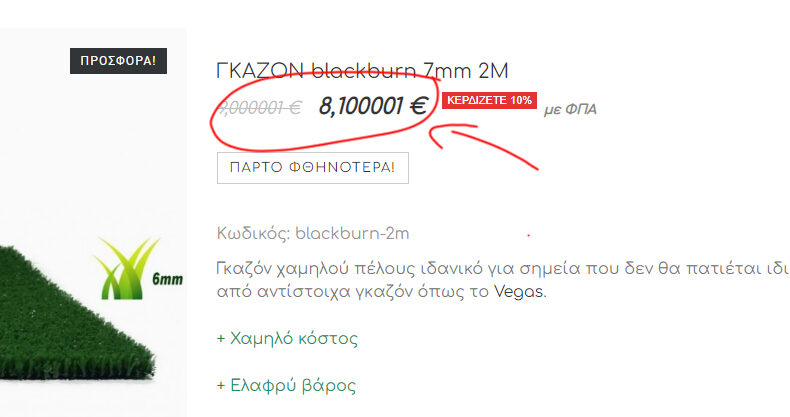
Sometimes and on some currencies there is an issue with rounding up the prices correctly.
When you want your price to be 90,25 it ends up being 90,25000001 and there isn't an option to change that from the admin area.
The easiest way to fix the decimals issue is:
- You have to open up your database either via your control panel (plesk, cpanel, etc) or with a desktop app.
- Then find the table named "ps_currency".
- On your active currency where you see the issue appear you can change the percision to a 2. That way it will round up the price to two decimal points and not 9 for example.


